
A Proven AI Toolkit for Working Designers
Published June 2026What's Hype?
Figma Code Connect
Figma is trying hard to fit in with the cool AI kids, and I'll admit, they're getting closer. But the most common real-world workflow is still broken: opening existing code, iterating on it contextually, and pushing changes back to a repo. Code Connect tries to bridge that gap by mapping components, but Figma components and code components remain separate worlds. Edits still don't flow to product.
Figma Make
The problem with vibe prototypes is that they're not really built on your actual app. They're mostly useful for exploring entirely new concepts. And because the fidelity looks high-ish, stakeholders can tell something's off. It's impressive but identifiably AI-generated and clearly disconnected from the real product. Brand and experience fall into an uncanny valley.
Figma Agents
Figma's new agents bring prompting directly into your design files. This is the infamous "design it now" button the industry feared would upend everything. Well, it is upsetting, just not in the way anyone expected. It's snappy, but it's clearly not running the latest models. You're paying for Figma AI credits with no control over which model you're using. And the results aren't that great. I've found that today's "thinking" and "high" models are genuinely essential for nuanced UI/UX work. Even top models still struggle with CSS best practices, and grepping components and patterns. I still use Figma constantly for communicating flows to dev and QA, and for exporting graphics and icons to code. But the native Figma AI layer isn't there (yet).
Google Stitch
This product launched with enormous hype. Countless YouTube thumbnails screamed "FIGMA IS DEAD." Google knows how to put on a show. But the results were shallow and limited. The experience felt trapped inside Google's own ecosystem. The "design systems" leaned closer to their own Material than to more vanilla Tailwind or shadcn/ui.

Claude Design
I have never burned tokens so fast. The pitch was similar to Google Stitch: your brand would feel identical, your design language preserved. But like Figma Make, Claude Design lacks the context to understand your existing patterns or UI flow. More uncanny vibe prototypes. I do use these for exploration and stakeholder buy-in, but honestly? I'd rather have Claude Code generate a static HTML file. It's cheaper, faster, and sells ideas just as well.
One-Shot Agent Coding (Codex, Cursor, Claude, Rovo, etc.)
I've heard others swear by these, but I genuinely can't picture how they hold up in real-world legacy codebases. I gave Rovo the simple task of updating a border radius. It failed. I had to clone the repo, open Cursor, and fix it myself to get the result I wanted. Part of my limitation is working on an Electron app. If your agent can preview its work in a browser, you're probably getting better results?
"Sign Up for My Course" YouTubers
YouTube is becoming a hype factory. Many top results are channels built entirely around AI updates. Their real product is your attention. It's genuinely hard to cut through the algorithm to find substantive content. I'm still looking for the real AI design-coding community.
Hype Conclusion
These tools are not built for enterprise-level apps. They're incredible at spinning up "good enough" marketing websites, and I'd bet web agencies are thriving right now. But vibe tools lack the granular fine controls you get from Figma and VS Code Cursor. For anything complex, you still need to be in the driver's seat.
So What's Actually Working?
Lo-Fi Wireframes with Claude in Figma
I have no idea why this isn't talked about more. Claude is genuinely exceptional at ideating on the Figma canvas. It may be under the radar because it's not a native Figma feature, but make sure you're using a top model. Working in grayscale shapes means teammates won't fixate on off-brand details. Once you've iterated to your 13th version, that becomes your starting point for real UI work. Going slow to go fast is a genuine time-saver. It's much slower and more expensive to build 13 vibed prototypes. No sir, wireframes are not dead!
"Create 10 unique versions of a user permissions page with rationale."
"Design the ideal date picker for this UI."
"Create 5 alternative ways to organize the IA in this menu"
Interaction Design Sandboxes in Cursor
Animation and interaction design can't live in flat 2D Figma frames. AI agents can spin up interactive interfaces with custom controls for adjusting timing, easing, pitch, saturation, whatever you need. Build generative controls, play with them, dial it in, then throw out the interface and keep the solution! Disposable design software.
"Help me design a UI sound effect inspired by camera shutters. Build an interface I can tweak."
"Create a confetti animation with a sandbox to adjust timing, colors, and size."
"Show me 10 ways to handle a copy-to-clipboard interaction. Generate a static HTML file so I can test them."
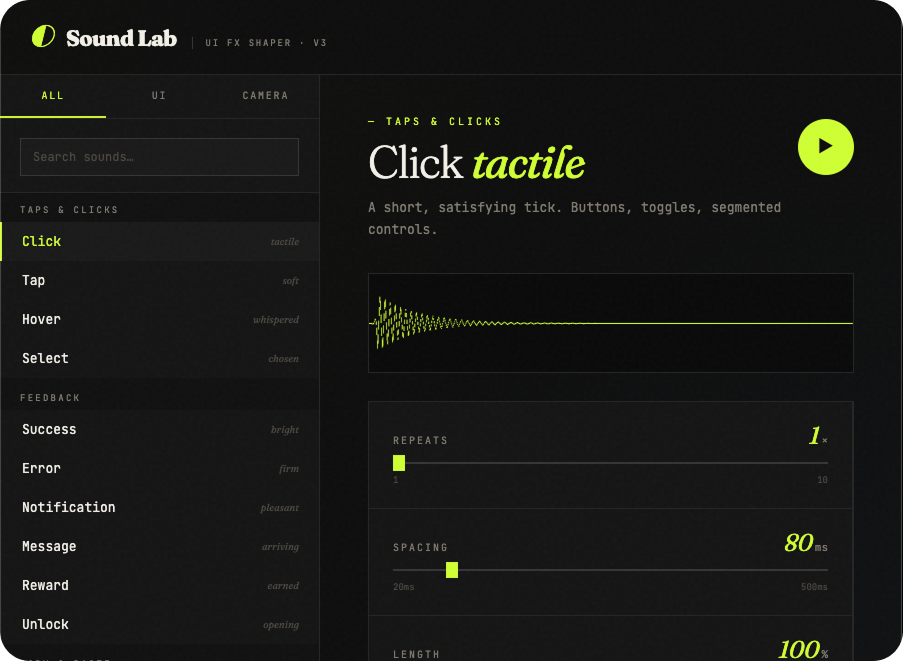 Click here and give it a try!
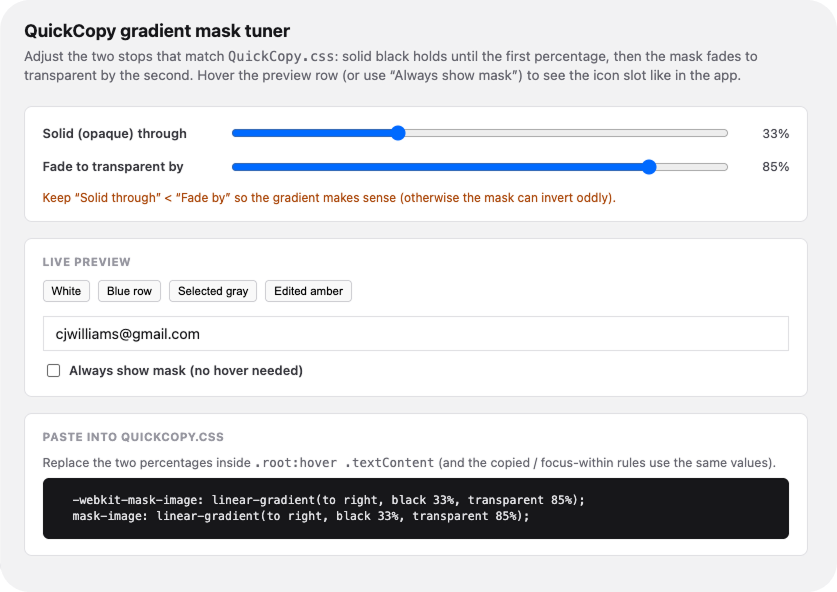 Click here and give it a try!
Claude Cowork for Competitive Analysis
I've used Claude Cowork to automatically scan competitor websites weekly for new release notes, then summarize the updates and post them to Slack for the product team. Results get stored in our product brain so we only surface genuinely new information. It's an effortless way to stay on top of the competition.
Claude Cowork for Survey Analysis
Another weekly automation: summarizing survey feedback. We get hundreds of responses, and manually digesting them is a grind. Claude summarizes and pulls out key quotes, then drops it into a weekly Slack message. That summary also feeds our product brain so we can track emerging trends over time.
Multi-Step Image Editing in Weavy AI
This is a powerhouse tool you'll find yourself using every day and happily paying for. Think of it as an AI harness for image editing, like Cursor but for visuals. You can mix and match models and experiment freely. The node-based prompting editor is genuinely delightful. (Figma clearly saw the potential too. They acquired Weavy last fall.)
Deep-Dive Learning with NotebookLM
I'm on the fence here. The technology is genuinely impressive. It pulls in web resources and generates detailed, engaging audio content. The podcast generator in particular is some of the best AI-synthesized speech I've heard. It's a great way to absorb new concepts. I don't reach for it as often as I'd like, but I suspect the more time I invest, the more I'd get out of it.
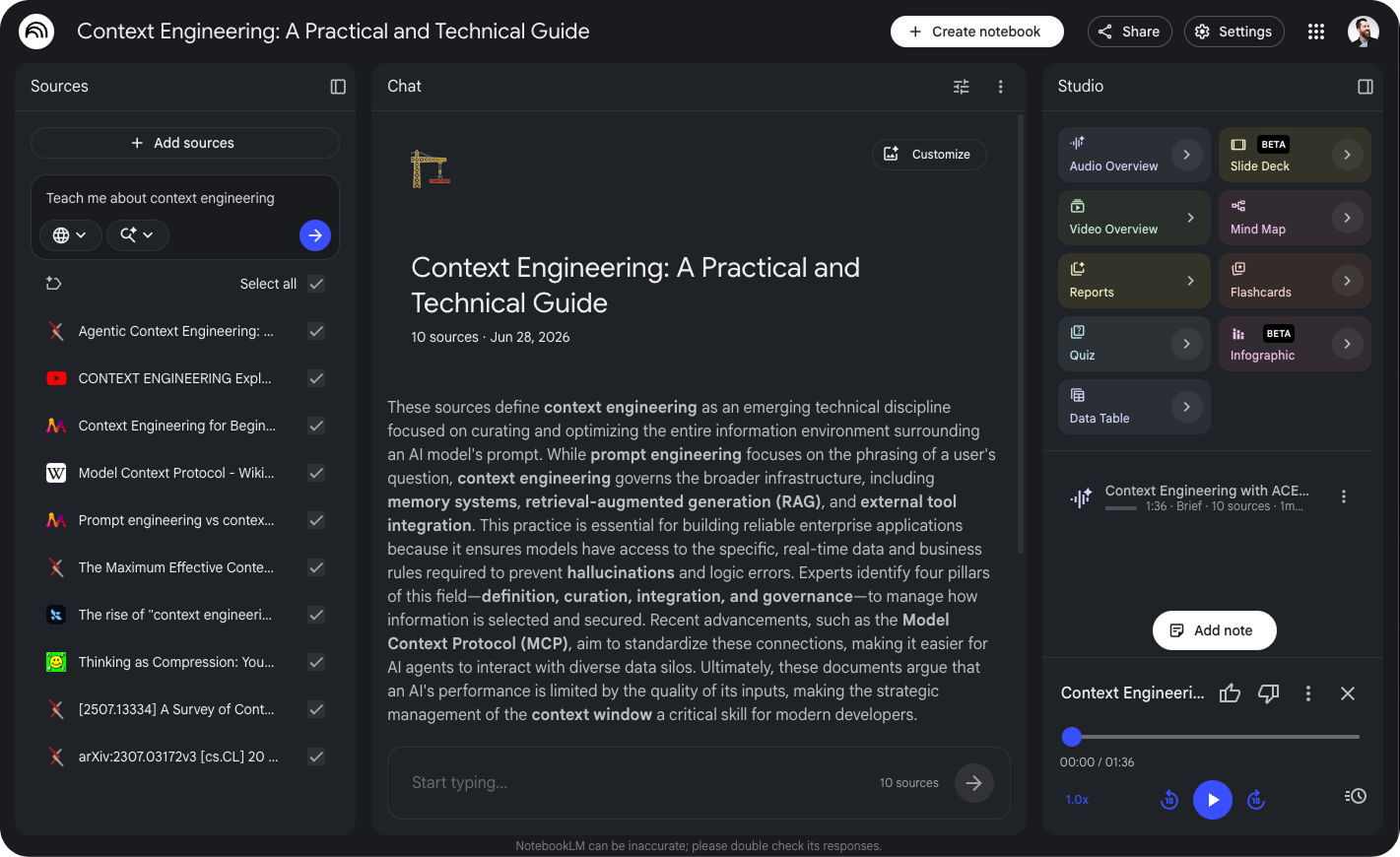
Second Brain: Obsidian + AI
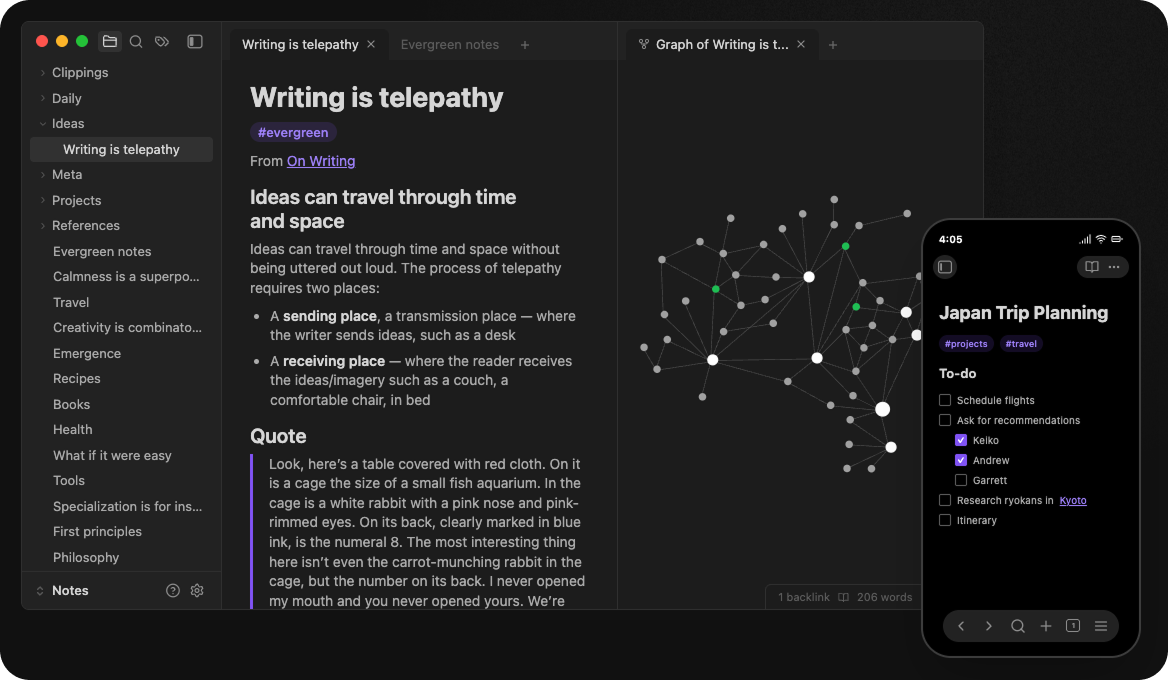
Using Obsidian (or any local markdown editor) as a long-term second brain is quietly liberating. Giving Claude Code access to your notes gives it real persistent memory. You can keep expanding it over time by scraping with Claude Cowork. Obsidian also makes a killer to-do list manager. Because these are just .MD files on your computer, you can program it however best suits your personal workflow.
Code Review
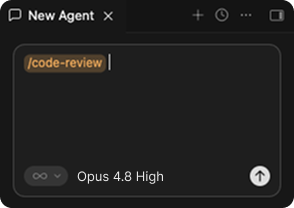
As a designer, my code knowledge is mostly HTML, CSS, and some basic JS. When I first started shipping production code, I made a lot of rookie mistakes. Agentic code review has been a huge unlock. I always find something to improve, and you can even use the same agent to review its own code in a fresh context window. I run at least 2 to 3 different models on every review. Currently: Opus, Codex, Gitstream, and Rovo. Opus has more false positives but casts a wider net, which I find useful for catching edge cases. Codex is more concise and targeted.
What's Working Conclusion
The real magic happens when you've got all these tools flowing on a weekly basis. This is truly a new way of thinking. We have to examine our daily work for repetitive tasks. We have to force our brains to offload work to agents so we can focus on the best parts of our jobs.
- Combine all your workplace tool's MCPs into your favorite agent harness
- Store and build shared knowledge together as a team
- Automate repetitive tasks
- Automate ongoing research
- Stack MCP commands together in an automation
 Up next
Emerging Patterns for Designing in the GAI Gold Rush
Up next
Emerging Patterns for Designing in the GAI Gold Rush


